

WeChat Enter Details
Enter channel details [View Guide]
Section titled “Enter channel details [View Guide]”App ID, App Name (主体名称), and App Secret
Section titled “App ID, App Name (主体名称), and App Secret”1. Go to WeChat Developer Platform and log in.
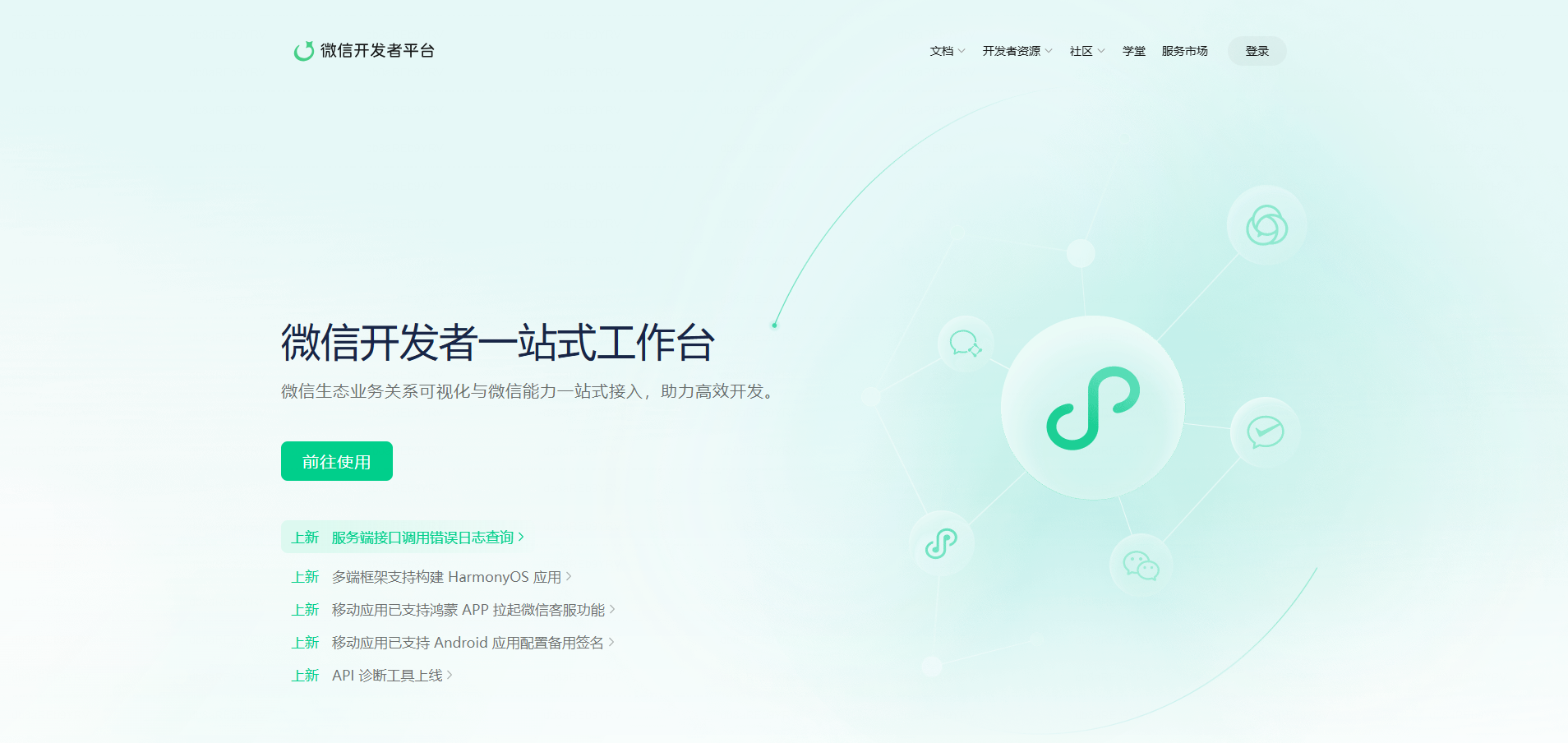
2. Click 前往使用 and, from My Business and Services (我的业务与服务), select your Official Account (公众号) or Service Account (服务号).
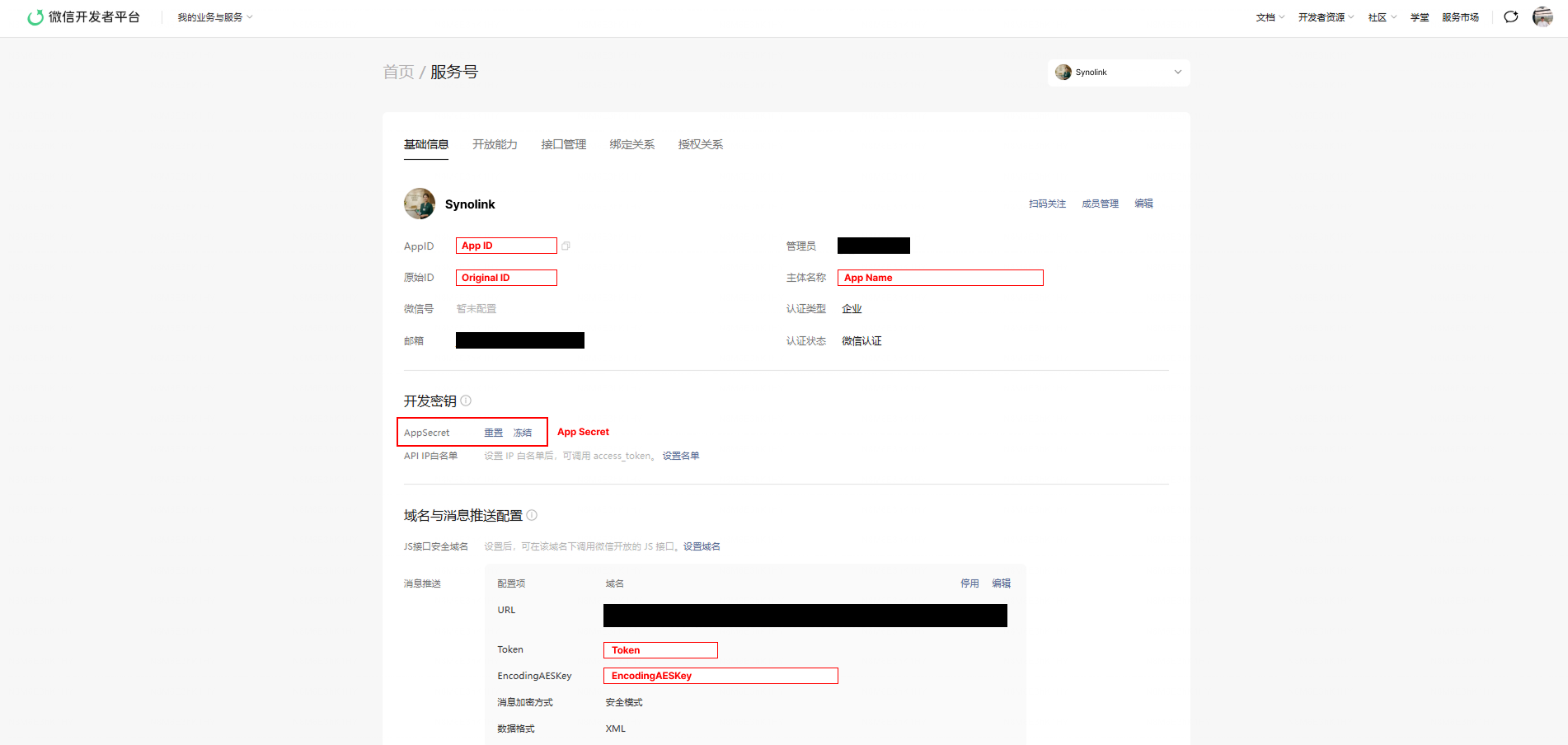
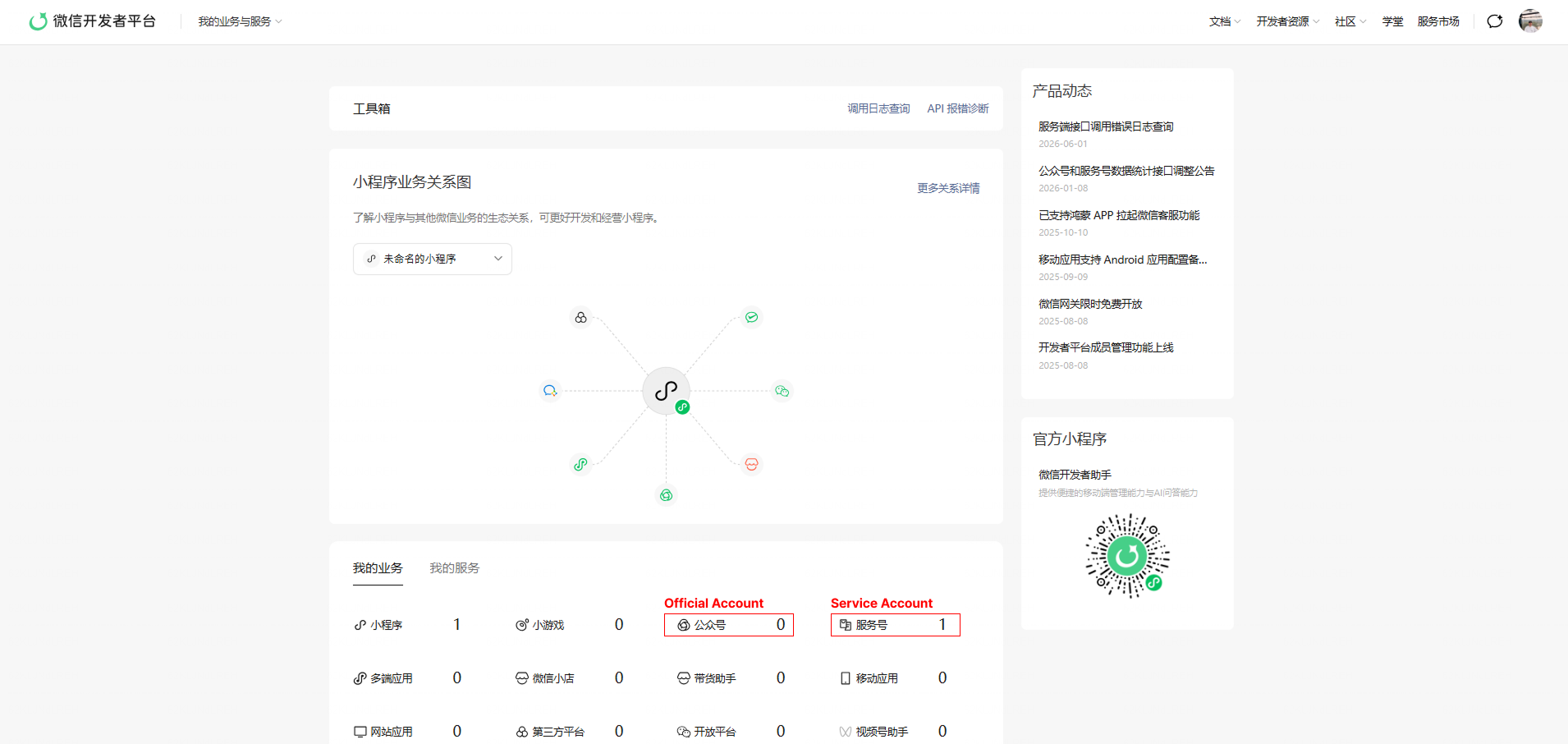 3. On the Basic Information (基础信息) tab, find:
- AppID — enter this as the App ID.
- 主体名称 — enter this as the App Name.
- AppSecret — enter this as the App Secret.
4. Under Developer Credentials (开发密钥), click Reset (重置) if you need to generate a new App Secret. Copy and save it immediately, as it is shown only once.
Important: Save your App Secret securely as soon as it is issued. For security reasons, WeChat does not allow you to view the same App Secret again later. If you reset or generate a new App Secret, the previous secret may stop working and can interrupt any existing integrations using it.
Token & Encoding AES Key
Section titled “Token & Encoding AES Key”On the same Basic Information (基础信息) page, scroll to Domain and Message Push Configuration (域名与消息推送配置).
You can either:
- Use the Token and EncodingAESKey we provide, or
- Create your own:
- Token: any custom string
- EncodingAESKey: a 43-character random string