

LINE 웹훅 설정
LINE Developers에서 Webhook 켜기 [가이드 보기]
섹션 제목: “LINE Developers에서 Webhook 켜기 [가이드 보기]”- https://developers.line.biz/console/ 로 이동합니다
- Provider를 선택하고 → 채널을 클릭합니다
- Messaging API 탭으로 이동합니다
- 아래로 스크롤해 Webhook settings로 이동합니다
- [Edit]를 클릭하고 → Webhook URL을 붙여넣은 다음 → [Update]를 클릭합니다
- [Verify]를 클릭해 확인합니다
- Use webhook을 On으로 전환합니다
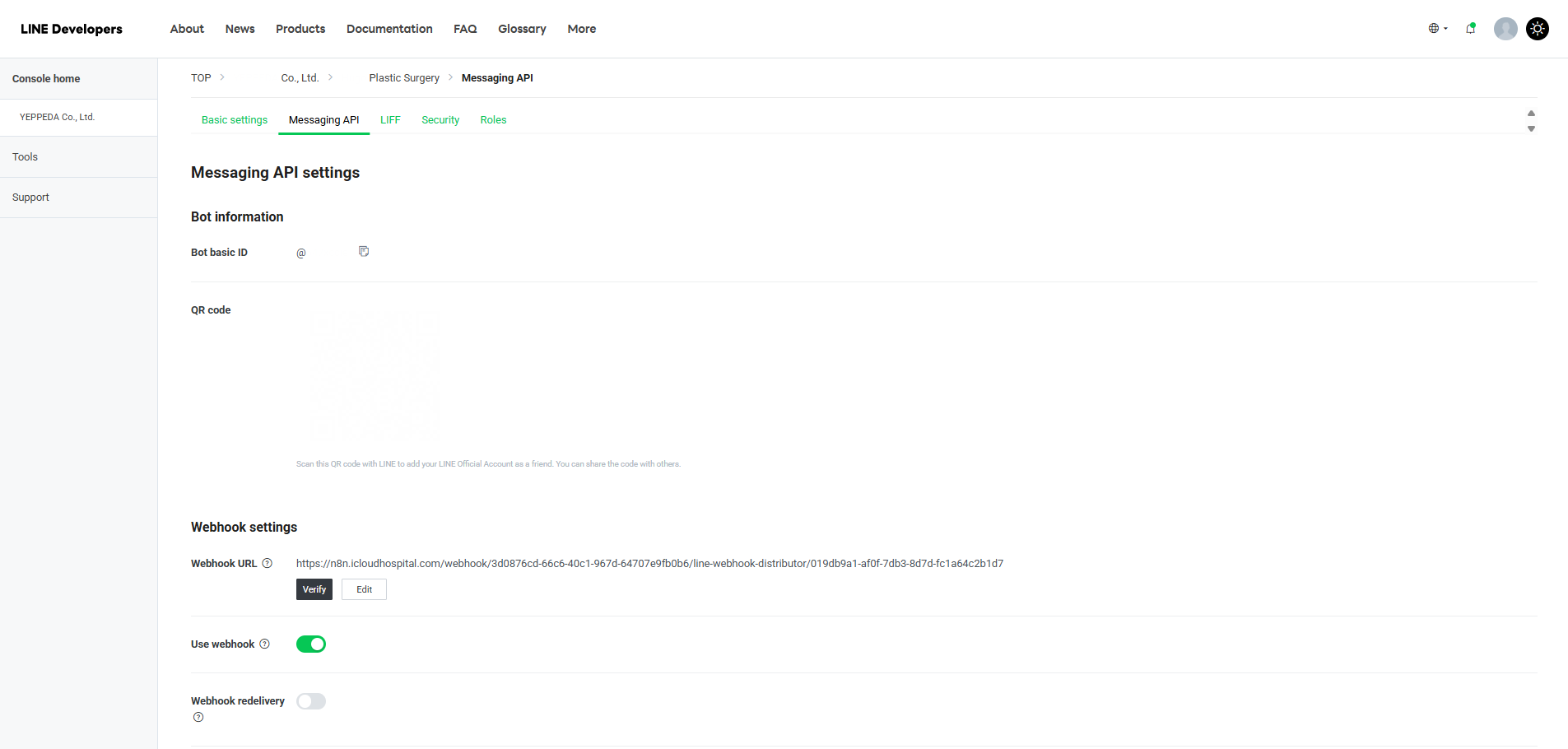
LINE Developers에서 Webhook 켜기 [가이드 보기]
섹션 제목: “LINE Developers에서 Webhook 켜기 [가이드 보기]”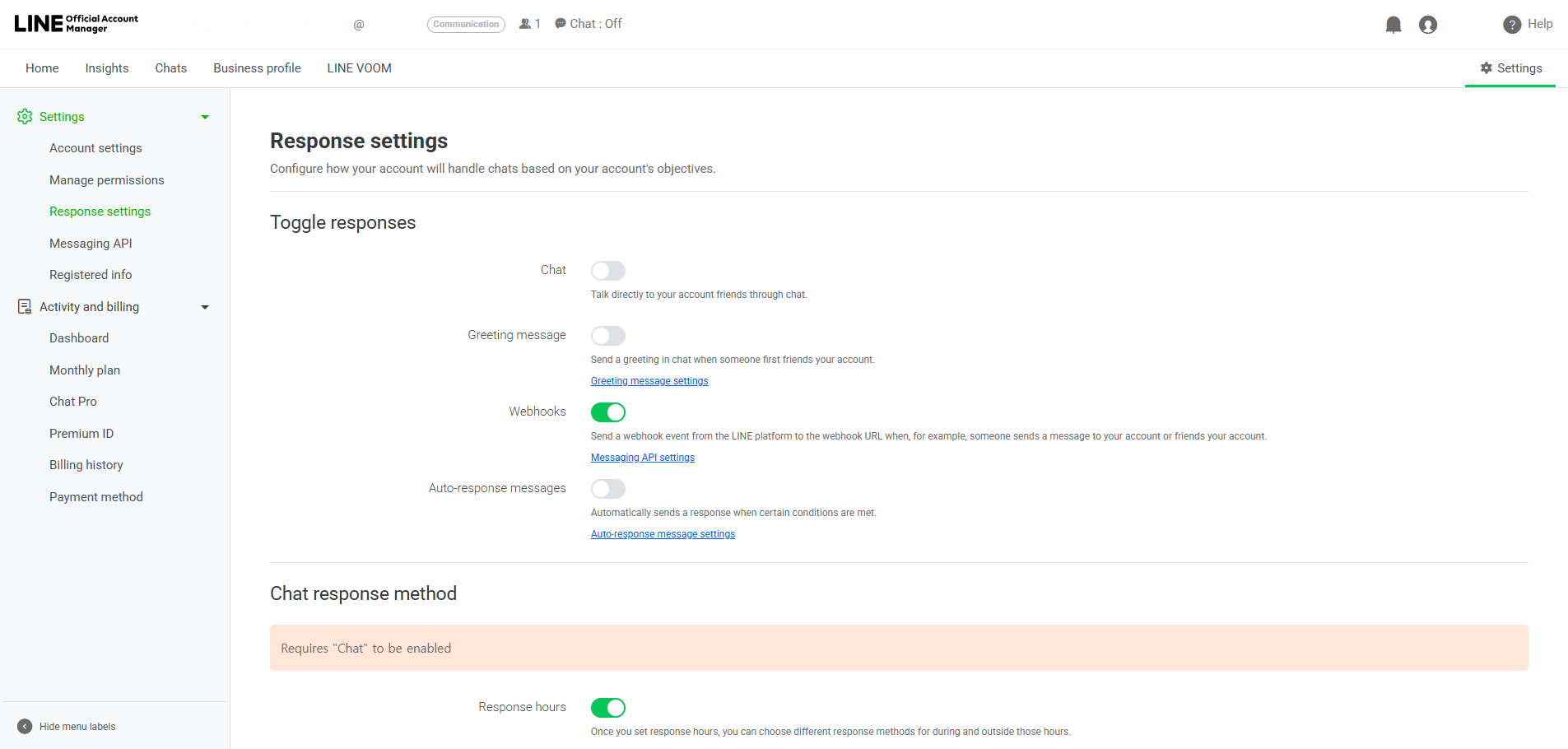
OA 응답 설정에서 Webhook 켜기:
섹션 제목: “OA 응답 설정에서 Webhook 켜기:”- https://manager.line.biz 로 이동합니다
- 계정을 선택하고 → 오른쪽 상단의 Settings를 클릭합니다
- 왼쪽 메뉴에서 Response settings를 클릭합니다
- Toggle responses에서 다음과 같이 설정합니다:
- Chat: Off
- Greeting message: Off
- Webhooks: On
- Auto-response messages: Off